
How to Clean Pokemon Cards Safely (and What to Avoid)
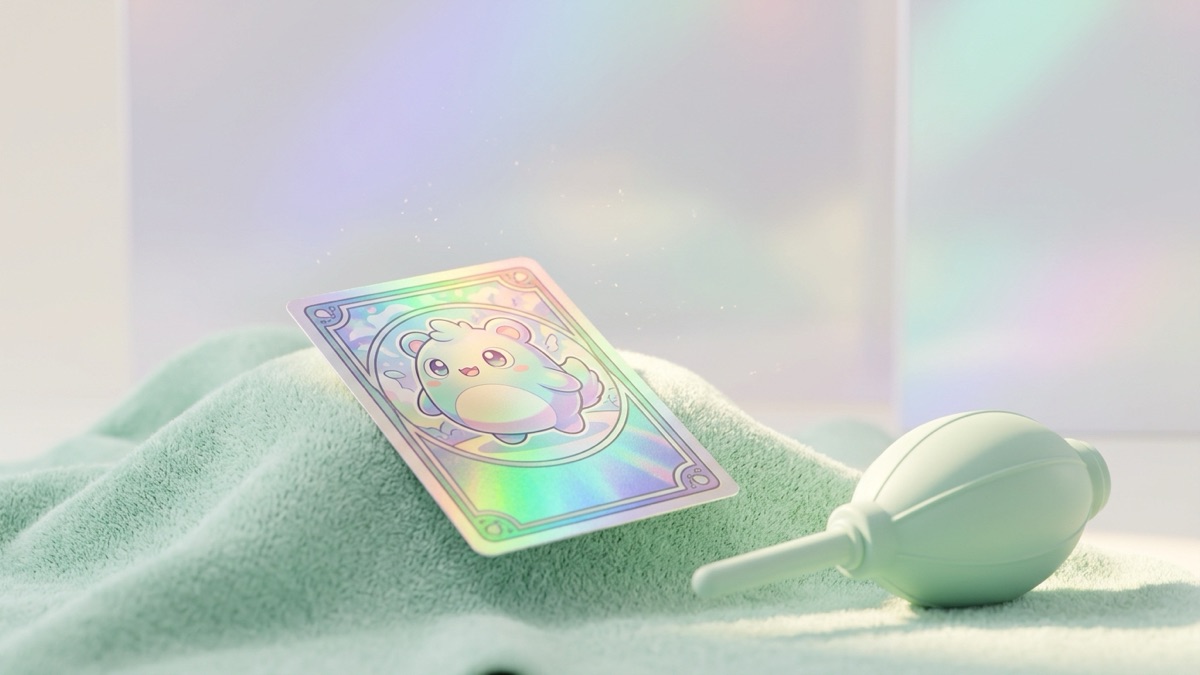
You pulled an old binder out of the closet and your best holo is wearing a fine gray coat of dust, plus a thumbprint right across the art. The urge to "just clean it up" is strong. Before you reach for anything wet, here is what is actually safe, what is not, and why graders care so much.
Quick answer
To clean a Pokemon card safely, work with clean, dry hands and remove loose dust with a hand air blower or a soft, dry microfiber cloth, using almost no pressure. Never use water, alcohol, cleaning sprays, erasers, polish or pressing. Graders treat cleaning solutions and pressing as alterations, so the card can come back with no grade.
Key takeaways
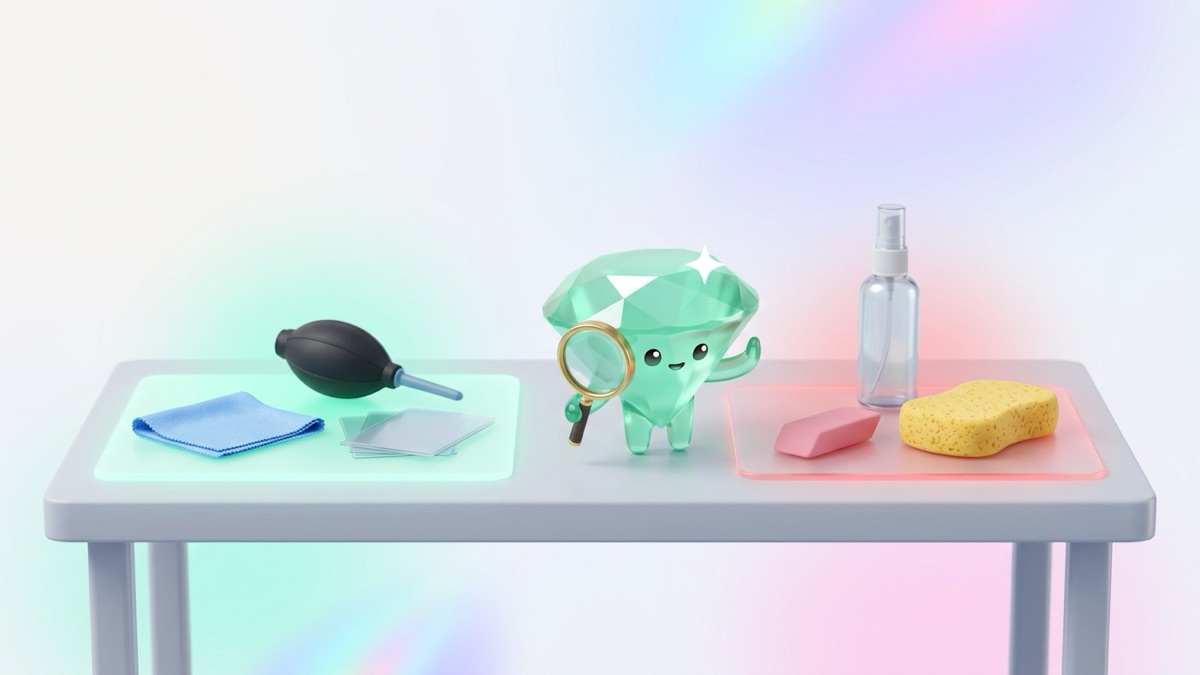
- Safe cleaning is dry and gentle: clean hands, a hand air blower, a fresh microfiber cloth. That is the whole kit.
- Liquids, sprays, erasers, whiteners, wax and pressing all leave the kind of evidence graders look for.
- PSA lists "Evidence of Cleaning" (N7) and "Altered Stock" (N5) as reasons a card gets no numeric grade, and the grading fee is still charged.
- A smudge on the sleeve is not a smudge on the card. Swap the sleeve and move on.
- If dry dusting does not fix it, leave the card alone. An honest small flaw beats an altered card.
Why is cleaning a card risky?
A Pokemon card is printed cardboard with a thin glossy finish on top. That finish is what gives a card its "pop", and it is also the easiest part to damage. Holo foil is even softer and shows every hairline scratch under a lamp.
Dust is the sneaky problem. A speck of grit dragged across the surface acts like sandpaper, so a careless wipe can turn a dusty card into a scratched one. Moisture is the other enemy: card stock is paper, and paper soaks up liquid, which can leave the card wavy, spotted or with a dull patch where the gloss used to be.
So the goal is not to make a card look new. The goal is to remove loose dust without adding a single new flaw.
What do graders do with a cleaned card?
This is the part most "cleaning hacks" leave out. Grading companies check for alterations before they ever assign a number, and cleaning counts.
PSA's grading standards list the reasons a card can come back with no numeric grade. Two of them are about cleaning:
- N7 Evidence of Cleaning: a whitener used on the borders, a solution used to remove wax, candy, gum or tobacco stains, or any foreign substance applied to the surface, such as cleaning spray or wax.
- N5 Altered Stock: signs such as crease or wrinkle pressing, scratch removal or enhanced gloss, plus the same foreign substances like cleaning spray or wax.
At the grader's discretion, those cards can be sealed in a slab as "Authentic Altered" (genuine, but altered, with no number), but only if you wrote "AA" on the submission form as the lowest grade you will accept. Either way, PSA charges the grading fee. Our guide to PSA Authentic Altered explains that label in detail.
Other companies take a similar line:
| Grader | What happens to a card that shows alteration |
|---|---|
| PSA | No numeric grade (N5 or N7). Authentic Altered slab only if you asked for "AA". Fee still charged. |
| CGC | A green Qualified label that describes the defect or alteration on the certification label |
| TAG | Not graded. Cards that fail its authentication check are returned unslabbed. |
CGC's own example is a Charizard whose worn back had been colored in with a marker. It came back a CGC 8 with a green Qualified label and "Inked" noted on the back. That is a lot of value lost to one felt tip.
How do you safely clean dust off a Pokemon card?
Short version: blow first, touch last, and barely touch at all.
What you need
- Clean, dry hands (wash, dry completely, and skip the hand lotion)
- A new microfiber cloth, the soft kind sold for glasses and camera lenses
- A hand-squeezed air blower, the rubber bulb sold for camera lenses (optional, but it is the gentlest tool there is)
- A soft, clean surface to work on
- A fresh penny sleeve, ready to go
Step by step
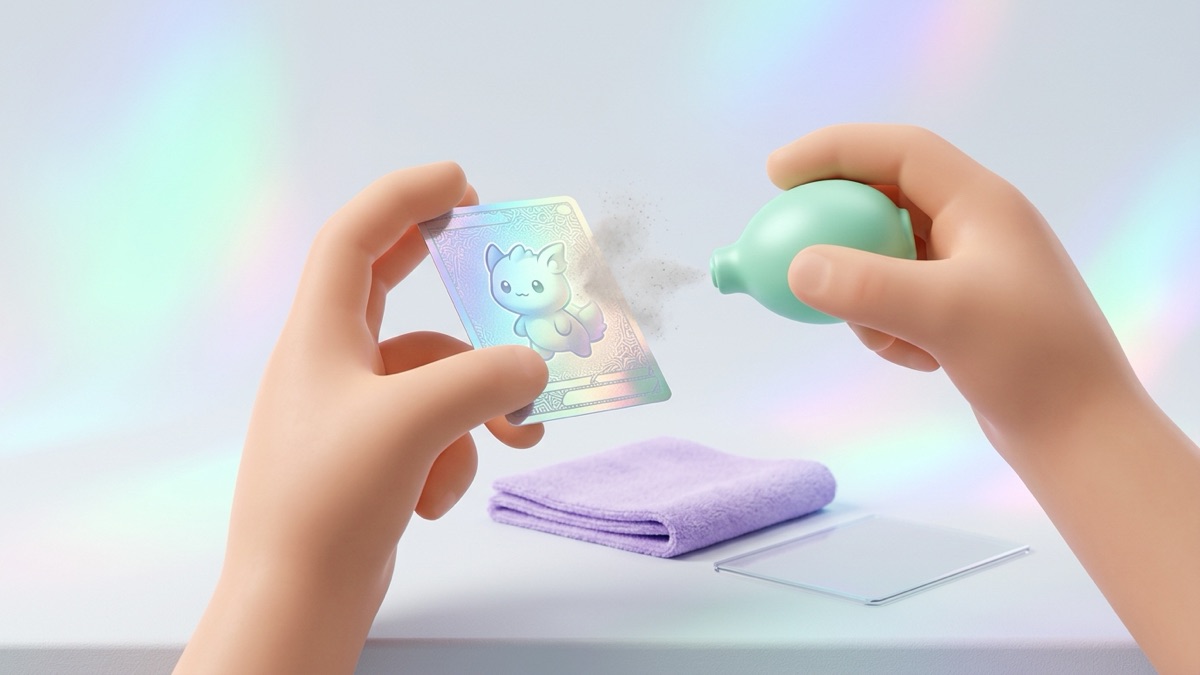
- Hold the card by its edges. Fingertips on the sides, never flat on the front or back.
- Blow first. A few puffs from the air blower moves loose dust without anything touching the card.
- Look under a lamp. Tilt the card slowly so the light rakes across it. Now you can see what is left.
- Dust, do not scrub. Lay a clean part of the microfiber flat against the card and draw it across in one direction with almost no pressure, lifting off past the edge. Use a fresh part of the cloth for each pass.
- Go extra easy on holos. If the foil looks fine after the air blower, stop there.
- Sleeve it right away. A clean card in a fresh penny sleeve stays clean.
Heads up
Canned air is not the same thing as a hand blower. If the can tips or you shake it, it can spit cold liquid propellant, which is exactly what you do not want landing on a holo.
What about fingerprints and smudges?
First, find out where the smudge actually lives. Hold the card up to the light and look closely. More often than you would think, the print is on the sleeve or the toploader, not the card.
On the sleeve: slide the card out carefully and put it in a new sleeve. Penny sleeves cost very little, so there is no reason to clean one.
On the toploader or card saver: take the card out first, then wipe the empty holder with a dry microfiber cloth, or simply replace it. Never wipe a holder with the card inside. Our comparison of card savers and toploaders covers which holder to use for what.
On the card itself: a fresh fingerprint sometimes lifts with one or two feather-light, dry passes of a clean microfiber cloth. If it does not come off after that, stop. Do not breathe on the card to fog it up the way you would a pair of glasses, since that is just moisture on paper. Do not press harder. A faint print is a small surface flaw. A scratch or a dull patch from rubbing is a bigger one.
What should you never use on a Pokemon card?
Here is the "please do not" list, and why each one backfires:
| Method | Why people try it | Why to skip it |
|---|---|---|
| Water, damp cloths, baby wipes | Lifts grime fast | Paper absorbs moisture and can warp or spot; PSA flags solutions used to remove stains |
| Rubbing alcohol, glass cleaner, cleaning sprays | Cuts through grease | PSA names cleaning spray as a foreign substance (N5 and N7) |
| Erasers and melamine foam sponges | Lifts marks off borders | Abrasive; can strip gloss and leave a dull spot |
| Whitener, markers, paint pens | Hides whitening on edges | PSA names border whitener under N7; CGC labels inked cards |
| Wax, polish, gloss sprays | Makes the card shine | PSA names wax and enhanced gloss as alterations |
| Pressing, heat or steam | Flattens bends and creases | PSA names crease and wrinkle pressing under N5 |
If a trick promises to make a card "look like new", assume a grader has seen it before.
Should you clean Pokemon cards before grading?
Only the dust. That is the honest answer to "clean pokemon cards before grading."
Before you send cards off, blow away loose dust, check each card under a lamp, and sleeve it in a fresh, clear penny sleeve. Then stop. Do not try to "fix" a print, a stain, a bend or a scratch. A card with a small surface flaw can still get a solid number. A card that shows cleaning or pressing may get no number at all, and you pay the fee either way.
Our step-by-step guide to how to grade Pokemon cards covers the full pre-grade check and how to pack cards the way PSA asks.
Try it
While the card is out of its sleeve and dust-free, snap a straight photo and check it in the free card centering calculator. Centering cannot be cleaned or fixed, so it is the best first filter for whether a card is worth sending at all.
When should you leave a card alone?
Sometimes the kindest thing you can do for a card is nothing.
- Stains, wax, gum or sticky residue. Removing them takes a solution or scraping, which is exactly what PSA's N7 describes.
- Bends, creases and dents. Pressing them flat is an alteration, and it rarely fools anyone under magnification.
- Scratches and scuffs. Wiping will not remove them, and "scratch removal" is on PSA's list too.
- Vintage and valuable cards. The more a card is worth, the more a mistake costs. If it needs more than a puff of air, leave it as it is.
- Cards you plan to sell. If a card has had anything more than dry dusting, say so in your listing. Buyers and graders both care, and honesty protects you.
Not sure how to describe a card's condition when you list it? Our Pokemon card condition guide explains Near Mint, Lightly Played and the rest in plain words.
How do you keep cards clean in the first place?
The best cleaning job is the one you never have to do.
- Sleeve every card you care about as soon as it comes out of the pack.
- Wash and dry your hands before a sorting session, and keep snacks and drinks at the other end of the table (the chips can wait).
- Store cards away from dust, sunlight and damp places like basements and garages.
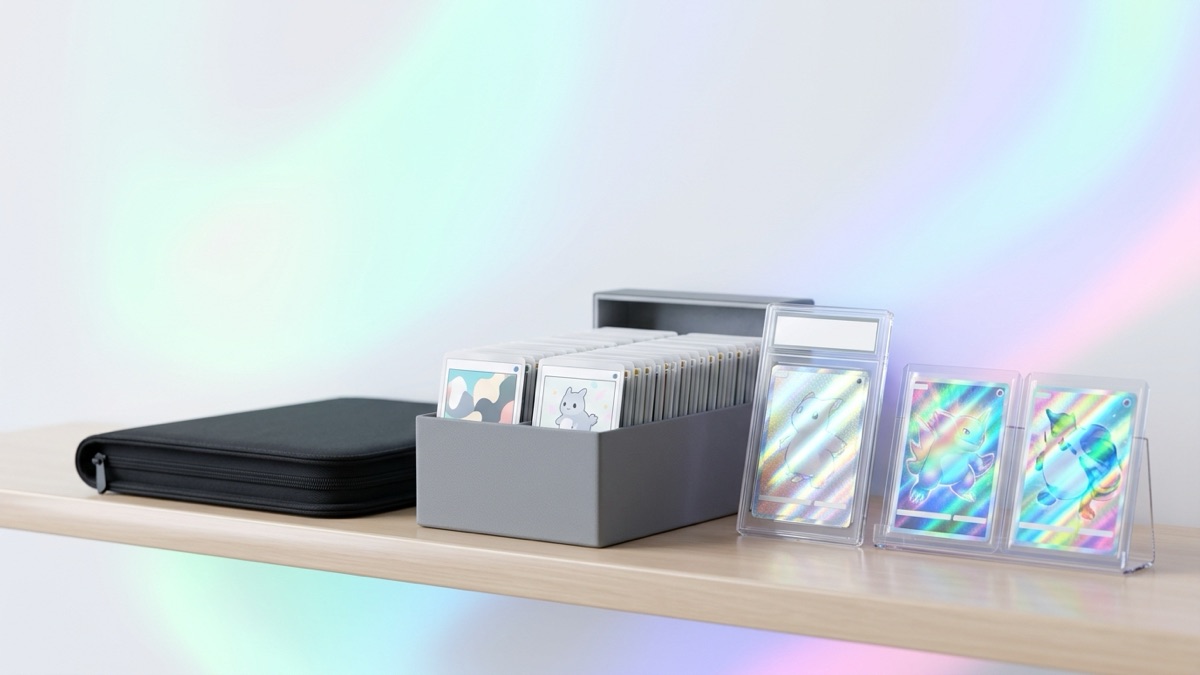
- Use closed storage: binder pages, boxes or a closed case rather than an open shelf.
Our hub on how to store Pokemon cards walks through sleeves, binders, boxes and humidity in detail. The MintGrade app walks you through the same checks: measure the centering on your own photo, check the corners, edges and surface under a lamp, and see whether grading pays off.
The takeaway
Cleaning a Pokemon card is really just dusting it: clean hands, a puff of air, maybe one feather-light pass with a dry microfiber cloth, then straight into a fresh sleeve. Everything beyond that, from water and sprays to erasers and pressing, risks a card that graders flag as altered and a fee you pay anyway. When in doubt, leave it alone and protect it better from here on.
The pictures in this guide are AI-generated illustrations of what to look for, not photos of real graded cards. Any fee or price in it carries the month it was checked against the grading company's own page or recent sold listings (sources below). MintGrade guides explain how grading works and help you decide what to submit. Only a grading company can assign a grade, and prices change daily, so check recent sold listings before you buy, sell or submit.
Questions collectors ask
Can you clean Pokemon cards with water or alcohol?
No. Card stock soaks up moisture and can warp, and PSA lists solutions used to remove stains and cleaning sprays applied to the surface as reasons a card gets no numeric grade. Stick to dry dusting.
Should I clean my Pokemon cards before grading?
Only remove loose dust, with a puff from a hand air blower or a feather-light pass of a clean, dry microfiber cloth. Anything more, such as liquids, erasers or pressing, risks the card coming back as altered with no number, and you still pay the grading fee.
Can graders tell if a card has been cleaned?
They look for it. PSA has a specific no-grade code, N7 Evidence of Cleaning, and another, N5 Altered Stock, that covers pressing, scratch removal, enhanced gloss and substances like cleaning spray or wax. Assume any cleaning beyond dusting can be spotted.
How do you get a fingerprint off a Pokemon card?
Try one or two very light, dry passes with a clean microfiber cloth, lifting off at the edge of the card. If the mark does not budge, stop. Rubbing harder or adding moisture can scratch the surface or leave residue.
What is the safest way to remove dust from a card?
A hand-squeezed air blower, the kind sold for camera lenses, moves loose dust without touching the card. Follow up with a clean, dry microfiber cloth only if something is still there.
Where these facts come from
- PSA grading standards (No Grade definitions: N5 Altered Stock, N7 Evidence of Cleaning): www.psacard.com/gradingstandards
- CGC: What does 'Qualified' mean in trading card grading? (February 2023): www.cgcgrading.com/news/articles/green-qualified-label-62GZQ13v6USY8wO9AVoeON/
- TAG Grading help: how does TAG handle trimmed or altered cards?: help.taggrading.com/en/articles/6747709-how-does-tag-handle-trimmed-or-altered-c
Read next
care and storage
How to Store Pokemon Cards So They Stay Mint
grading basics
What Is a PSA 10? The PSA Grading Scale Explained
grading companies
PSA vs BGS: Beckett Subgrades vs the PSA Label
grading basics
PSA 10 Requirements: The Gem Mint Checklist