Pokemon Card Whitening: What It Is and Why It Matters
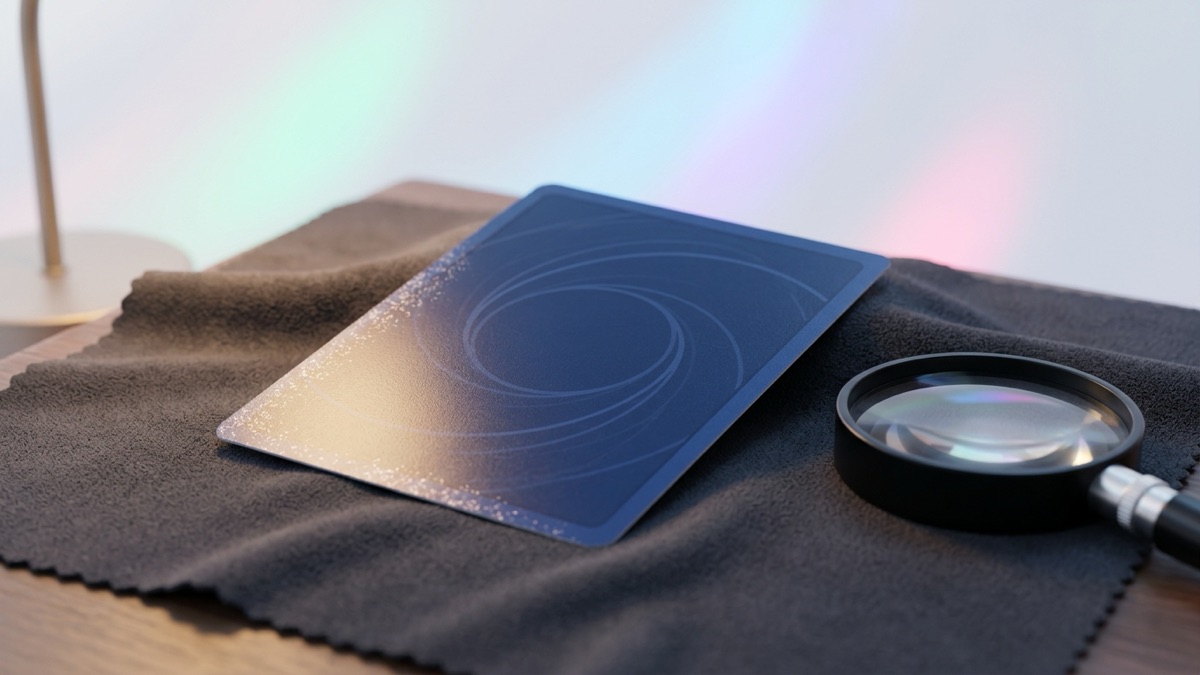
You flip your shiny new pull over, and there it is: a sprinkle of tiny white dots along the edge of the blue back. It looks like someone dusted the card with powdered sugar. That is whitening, and it is the flaw Pokemon collectors look for first.
Quick answer
Pokemon card whitening is white specks, chips or lines along a card's edges and corners where the printed color has worn or flaked away and the lighter card stock shows through. It is easiest to see on the dark blue back. It can come from the factory cut or from handling, and graders count it as edge and corner wear.
Key takeaways
- Whitening is color loss along the edges and corners that lets pale card stock show through. The dark blue back makes it easy to spot.
- It has two sources: the factory cutting process and everyday handling like shuffling, sleeving and rubbing.
- No grader has a single whitening rule. PSA describes it as corner fraying and edge notching or chipping, and even slight fraying first appears in its wording at PSA 8.
- One bright light held low, the back of the card first and a 10x loupe will find almost all of it.
- You cannot fix whitening. Markers, edge inks and trimming all count as alterations, so prevention is the only cure.
What is whitening on a Pokemon card?
Whitening is the collector word for pale specks, nicks and lines along a card's edges and corners. The printed color sits on top of the card stock. When that color rubs off or chips away, the lighter material underneath peeks through, and a crisp blue edge starts to look frosted.
Marketplaces use the word too. TCGplayer's Card Conditioning Standards (updated March 2025) file whitening under surface wear, which they define as material loss that lets the inner layers of the card show through the color. Small nicks, fraying and rough spots along the border are counted separately as edge wear. Near Mint allows a slight amount of edge wear but no surface wear at all, so a few tiny specks on an edge can still pass while a patch where the color has clearly worn through cannot.
Graders see it a little differently, as we will get to. Either way the look is the same: white where there should be color.
Why does whitening show up on the blue back?
Contrast. Whitening is pale, so it hides against a light border and shouts against a dark one. The back of every English Pokemon card has a deep blue border, which turns the tiniest chip into a bright white dot.
The front is kinder on classic cards, where the yellow border blends with small wear. Full art and borderless cards are a different story. When dark artwork runs right to the edge, the front can show whitening just as clearly as the back.
So when you check a card, start with the back. That is where a buyer, or a grader, will see it first.
What causes whitening?
Two culprits: the factory and our hands.
Factory whitening
Cards are printed on big sheets and cut apart by machine. If the cutting blade is not perfectly sharp, it can leave a rough, slightly frayed edge where the color flakes away. CGC has pointed to the Pokemon Jungle set as a well-known example of rough factory edges and blamed dull cutting blades.
That is why a card can come out of a sealed pack with whitening already on it. Pack fresh does not always mean perfect.
Handling whitening
Everything else is wear. The usual suspects:
- Shuffling and playing, where edges rub against each other and the table
- Pushing a card into a tight sleeve or toploader corner first
- Stacks held with rubber bands, or loose cards sliding around a box
- Tight binder pockets and cards dragged across a table
- A small drop onto a corner
You can often tell the two apart with a loupe:
| Clue | Probably factory | Probably handling |
|---|---|---|
| Where it sits | Evenly along a whole edge | In patches, often at corners |
| What it looks like | A fuzzy, slightly frayed cut | Clean chips and scuffed spots |
| Other copies of the same card | Often show the same thing | Vary from card to card |
| When it appeared | Already there when you opened the pack | Showed up after the card was handled |
Graders mostly see the result, not the story. CGC says it weighs how severe and how common a production defect is for a given set, but no grader promises to ignore factory whitening. Our guide to card edges goes deeper on rough cuts versus handling chips.
How do graders treat whitening?
No major grader has a line item called whitening. It falls under corners and edges, and each company describes wear in its own words. PSA's description of a Gem Mint 10 calls for "four perfectly sharp corners," which leaves no room for white specks. Here is roughly how the wording lines up below that, paraphrased from PSA's and CGC's published standards:
| What you see | PSA's wording sounds like | CGC's wording sounds like |
|---|---|---|
| No white anywhere, even under a loupe | 10 | Gem Mint 10 (corners perfect to the eye, near perfect under 10x) |
| A fleck on one or two corners | 8 (the slightest fraying at one or two corners) | 8 to 8.5 (corners sharp to the eye, slight flaws under magnification) |
| Light wear on several corners | 7 (slight fraying on some corners) | 7 to 7.5 (a touch of wear on two or more corners) |
| Tiny notches along the edges | 6 (very slight notching on the edges) | 6 to 6.5 (slightly rough edges) |
| Clear chips along the edges | 5 (minor chipping on the edges) | 5 to 5.5 (chipping on the edges) |
Treat this as a translation guide, not a formula. Graders judge the whole card, so whitening stacks with centering, surface and everything else. Our PSA grading scale guide walks through every grade in plain words.
Heads up
PSA's 9 allows slightly off-white borders as one possible minor flaw. PSA does not define it further, and it reads like a note about the color of a border, so do not count on it covering white chips on a blue back.
How do you check a card for whitening?
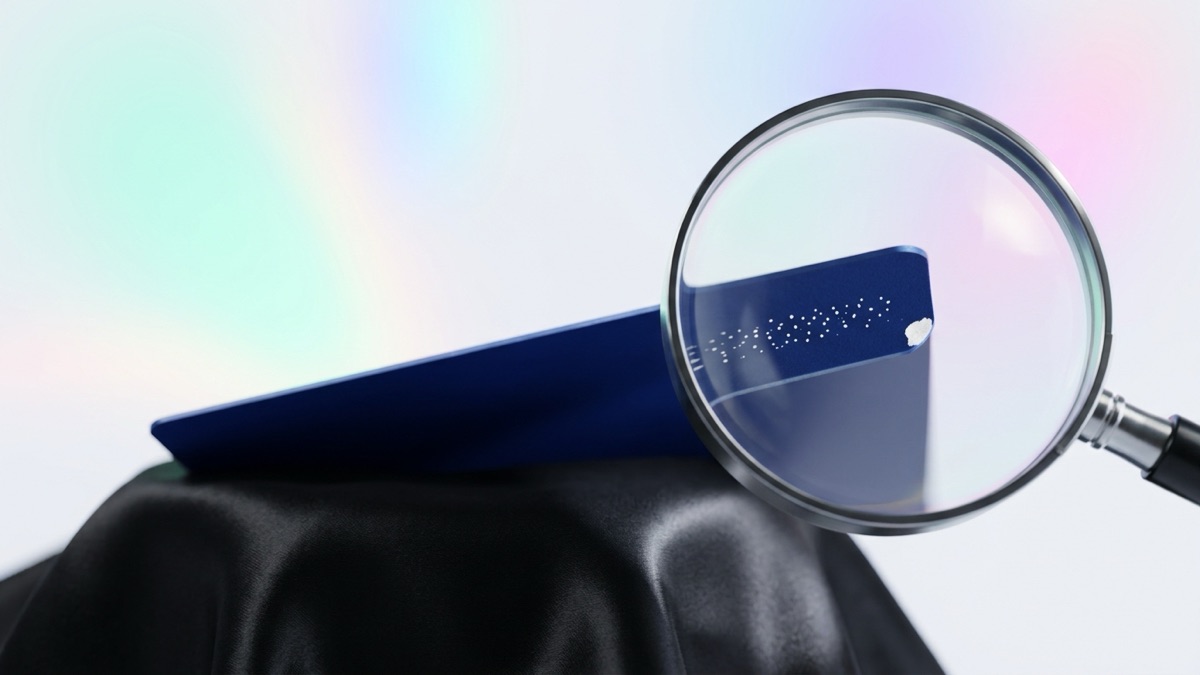
You need a dark, clean cloth, clean dry hands, one bright light (a desk lamp or your phone flashlight) and a 10x loupe if you have one. Overhead room light hides a lot, so switch it off if you can.
- Start with the back. Lay the card face down on the dark cloth.
- Hold the light low and to the side, so it skims across the card instead of shining straight down. White specks light up against the blue.
- Go around all four edges slowly, then look at each corner under the loupe. Check the tips of the corners and the few millimeters on either side.
- Flip it and repeat on the front, especially on full art or dark borderless cards.
- Take a flash photo and zoom in. Flash is the enemy of centering photos, but it makes white specks on a blue border pop.
Tip
Before you buy a raw card online, ask for a clear photo of the back under bright light. Whitening is easy to hide in a front-only photo, and it is the first thing a grader will see when they flip the card.
Can you fix whitening?
No, and trying makes things worse. Coloring over the white with a marker or a "restoration" ink is recoloring, and PSA lists evidence of recoloration as a reason it will not give a card a numeric grade. Trimming a fuzzy edge away is trimming, which gets the same treatment. Both can come back without a number, and PSA still charges the grading fee.
Cleaning products are no help either. PSA also flags cards where a substance has been applied to the surface, such as a cleaning spray or wax. If you want to know what happens to altered cards, our guide to PSA Authentic Altered explains the label.
How do you prevent whitening?
Whitening is permanent, so the only real strategy is not letting it start.
- Sleeve cards as soon as they leave the pack. A penny sleeve takes the rubbing so the edges do not.
- Slide cards into sleeves straight and gently. Never push corner first or force a tight fit.
- Give valuable cards a rigid home. A toploader or a semi-rigid holder stops the edges from knocking into things. For grading, PSA's shipping guide asks for a penny sleeve inside a semi-rigid holder.
- Skip rubber bands and loose stacks. Store cards upright in a box that fits them.
- Pick binder pages with a little room. Pockets that pinch the card rub its edges every time you take it out.
- Play with sleeves on. Shuffling bare cards is the fastest way to frost a blue back.
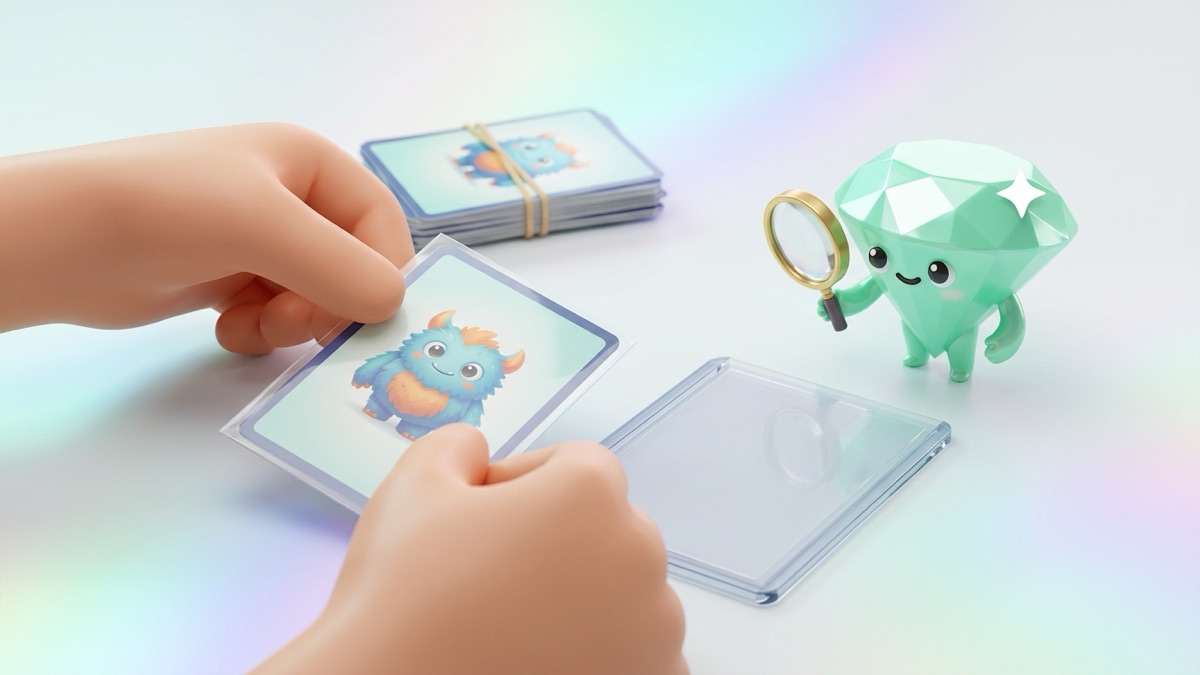
Our guide on how to store Pokemon cards covers boxes, binders and sleeves in more detail.
Is a card with whitening still worth grading?
Sometimes. Whitening lowers the ceiling, but it does not always kill the value. A vintage holo with light whitening can still be a very nice card at a PSA 7 or 8, while a modern card with a flood of copies may only earn its fee back as a 10.
The honest move is to pre-grade the whole card, pick the grade you realistically expect, and do the math at that grade, not the one you hope for. Our step-by-step guide to how to grade Pokemon cards walks through the full check, and the condition guide explains how whitening affects raw sales.
Try it
Put your card's raw value, the graded value at the grade you expect and your service tier into the free grading cost calculator to see whether the fee pays for itself.
The MintGrade app walks you through the same checks: measure the centering on your own photo, check the corners, edges and surface under a lamp, and see whether grading pays off.
The takeaway
Whitening is just color loss on the edges and corners, and the blue back makes it easy to find. Some of it comes from the factory, most of it comes from handling, and none of it can be fixed without making things worse. Check the back under a low light before you buy, sell or grade, and sleeve your cards early so the next pull stays crisp.
The pictures in this guide are AI-generated illustrations of what to look for, not photos of real graded cards. Any fee or price in it carries the month it was checked against the grading company's own page or recent sold listings (sources below). MintGrade guides explain how grading works and help you decide what to submit. Only a grading company can assign a grade, and prices change daily, so check recent sold listings before you buy, sell or submit.
Questions collectors ask
What is whitening on a Pokemon card?
Whitening is the pale specks, chips and lines that appear along a card's edges and corners when the printed color wears or flakes away and the lighter card stock underneath shows through. It is easiest to see on the dark blue back.
Does whitening lower a PSA grade?
Usually, yes. PSA's description of a 10 calls for four perfectly sharp corners, and its wording for lower grades adds corner fraying from PSA 8 down and edge notching and chipping at PSA 6 and 5. How much it costs depends on how much whitening there is and where.
Can a Pokemon card have whitening straight out of the pack?
Yes. Cards are cut from large printed sheets by machine, and a dull blade can leave rough, flaky edges. CGC has named the Jungle set as a well-known example of rough factory edges.
Can you fix whitening on a Pokemon card?
No. Coloring over whitening with a marker or edge ink is recoloring, and trimming a worn edge is trimming. PSA will not give a numeric grade to a card with evidence of either, and it still charges the grading fee.
How do I check my card for whitening?
Work on a dark cloth with one bright light held low and to the side. Start with the back, go slowly around all four edges and corners, then check the front. A 10x loupe or a zoomed-in phone photo helps you see the smallest specks.
Where these facts come from
- PSA grading standards (grades, qualifiers and no-grade codes): www.psacard.com/gradingstandards
- CGC Cards grading scale: www.cgccards.com/card-grading/grading-scale/
- CGC: How CGC Trading Cards Handles Production Defects: www.cgcgrading.com/news/articles/tcg-production-defects-4TYcIT1qjhR0fXECP5oSaO/
- TCGplayer Card Conditioning Standards (updated March 2025): mktg-assets.tcgplayer.com/web/seller/guides/Card-Conditioning-Standards.pdf
- PSA shipping guide: how to package: www.psacard.com/info/shipguide
Read next

grading companies
PSA vs BGS: Beckett Subgrades vs the PSA Label
grading costs
Beckett Grading Cost in 2026: BGS Tiers Explained